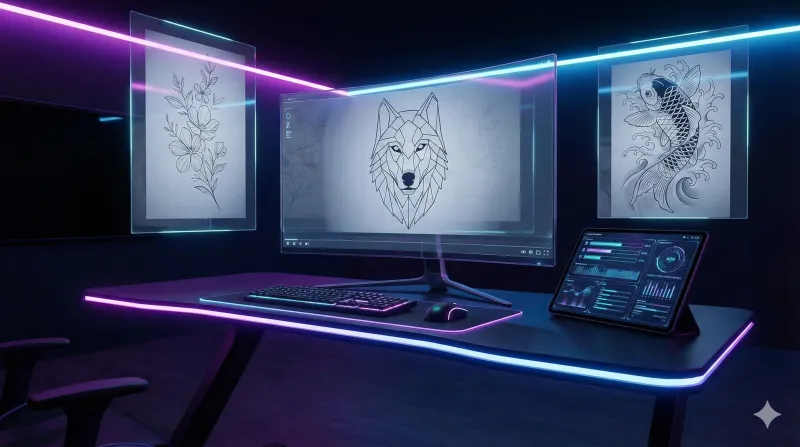
AI tattoo generators have transformed how people design and preview tattoos. Instead of spending hours sketching ideas or scrolling through endless Pinterest boards, you can now describe your dream tattoo and see a realistic design in seconds.
In this guide, we compare the best AI tattoo generators available in 2025 and explain what to look for when choosing one.
What Is an AI Tattoo Generator?
An AI tattoo generator is a tool that uses artificial intelligence to create custom tattoo designs based on text descriptions, style preferences, or reference images. The best ones produce photorealistic results that you can share directly with your tattoo artist.
Key features to look for:
- Text-to-tattoo generation — Describe your idea in words and get a design
- Multiple style support — Fine line, geometric, Japanese, tribal, watercolor, realism, and more
- Body placement preview — See how the tattoo looks on your actual body
- High-resolution output — 4K exports suitable for tattoo artist reference
- Fast generation — Results in seconds, not hours
How AI Tattoo Design Works
Modern AI tattoo generators use diffusion models trained on millions of tattoo images and art references. Here's the typical workflow:
- Input your concept — Type a description like "geometric wolf with mountain background, fine line style"
- Select parameters — Choose style, size, placement, and color preferences
- AI generates the design — The model creates a unique tattoo design matching your specifications
- Refine and iterate — Adjust your description and regenerate until you find the perfect design
- Download and share — Save the high-resolution image to share with your tattoo artist
What Makes AI Tattoo Generator Different
AI Tattoo Generator is built specifically for tattoo design — not repurposed from a general image generator. Here's what sets it apart:
12+ Specialized Tattoo Styles
Every style has been trained with style-specific references:
- Fine Line — Delicate single-needle precision
- Geometric — Sacred geometry and mathematical patterns
- Japanese — Traditional irezumi with flowing compositions
- Tribal — Polynesian, Maori, and modern tribal
- Watercolor — Painterly splashes and color bleeds
- Realism — Photorealistic portraits and nature
- Blackwork — Bold solid black and dotwork
- Minimalist — Clean, simple designs
Realistic Body Placement
Upload a photo of any body area and the AI renders the tattoo naturally on your skin, matching your skin tone and body contours. This is the closest you can get to seeing a real tattoo without committing to the needle.
Credit-Based Pricing
No subscriptions or recurring fees. Purchase credit packs starting at $9.99 and use them whenever you want. Credits are valid for one year.
Tips for Getting the Best AI Tattoo Designs
- Be specific in your description — Instead of "flower tattoo," try "single peony flower with leaves, fine line style, black ink only, medium size for inner forearm"
- Reference a style — Mention specific tattoo styles like "Japanese irezumi," "geometric dotwork," or "watercolor with fine line outlines"
- Specify placement — Mention where the tattoo will go so the AI can optimize the composition
- Iterate — Generate multiple versions with slightly different descriptions to explore variations
- Combine styles — Try mixing styles like "geometric wolf with watercolor background" for unique results
Conclusion
AI tattoo generators have made it possible for anyone to visualize their next tattoo before making a permanent decision. Whether you're getting your first tattoo or planning your next sleeve, tools like AI Tattoo Generator let you explore ideas, test placements, and arrive at your tattoo appointment with a clear vision.
Ready to design your next tattoo? Start generating with AI Tattoo Generator.