

Realism Tattoo Generator Photorealistic
Generate realistic tattoo concepts with AI. Animals, nature, still life and fictional characters with detailed shading and texture. Every result is an AI-generated design reference for your artist.
What Defines Realism Tattoos
The pinnacle of technical tattoo artistry.
Character & Figure Realism
Realistic tattoo concepts of fictional characters, mythological figures and statues, with detailed shading and texture. Designs are original AI creations, not reproductions of real people.
Black & Grey Realism
Stunning monochromatic work using only black ink in varying dilutions. Creates dramatic contrast, depth, and photographic quality without color.
Color Realism
Full-color photorealistic designs — vivid landscapes, colorful animals, and detailed objects rendered with smooth color transitions and lifelike accuracy.
Animal Realism
Wildlife portraits with every hair, feather, and scale rendered in detail. Lions, wolves, eagles, elephants, and more brought to life on skin.
Nature & Landscapes
Photorealistic forests, mountains, oceans, and skies. Entire scenes captured with depth, atmosphere, and natural lighting.
Hyper-Realism
Designs so detailed they transcend photography. Extreme close-ups, macro details, and surreal juxtapositions that push the boundaries of skin art.
How to describe a realism tattoo to the generator
Realism prompts fail when they describe a subject instead of a photograph.
Describe it as a photograph
"Photorealistic black-and-grey, smooth gradients, high detail" beats "realistic lion". You are asking for a rendering technique, not a species.
Set the lighting
"Dramatic side lighting, deep shadow on one side". Realism reads as real because of light. Leave it unspecified and you get flat, waxy results.
Choose black-and-grey or colour
Say which. Black-and-grey realism ages better and is what most realism specialists work in.
Crop the composition
"Lion head, three-quarter view, cropped at the mane" gives a usable reference. Full scenes at tattoo scale lose the detail that makes realism work.
What realism work is like once it is on you
The style most dependent on the artist, not the reference.
Needs size to work
Detail lives in the gradients. Small realism turns grey and muddy within a few years — most artists set a minimum size for realism pieces for this reason.
Artist selection matters most
Realism is the least forgiving style. Look at healed photos in a portfolio, not fresh ones — healed work is where the truth is.
Grey wash softens
Fine gradients gain contrast loss over time. Artists compensate by pushing contrast a little harder than the reference shows.
Best on flat, covered skin
Upper arm, thigh, back, chest. Curved and high-movement areas distort the detail that the whole style depends on.
Taking a realism design to your artist
An AI design is a starting point. These are the realism-specific things worth raising at your consultation.
Bring a real reference too
An AI image is a good mood board, but realism artists usually work from a high-resolution reference with clear lighting. Expect them to ask for or source one alongside your design.
Discuss contrast
Soft AI gradients often look washed out once healed. Ask the artist how much darker they plan to push the shadows so the piece still reads in a few years.
Budget for size and time
Realism needs room and long sessions. Ask for the minimum size the artist will accept for your subject and roughly how many sittings it may take before you commit.
Ask about skin texture
Pores, scars and stretch marks affect how fine gradients heal. A realism artist can tell you whether your chosen spot will hold the subtle tones in your design or whether a smoother area works better.
Realism Designs
AI-generated realistic tattoo designs.
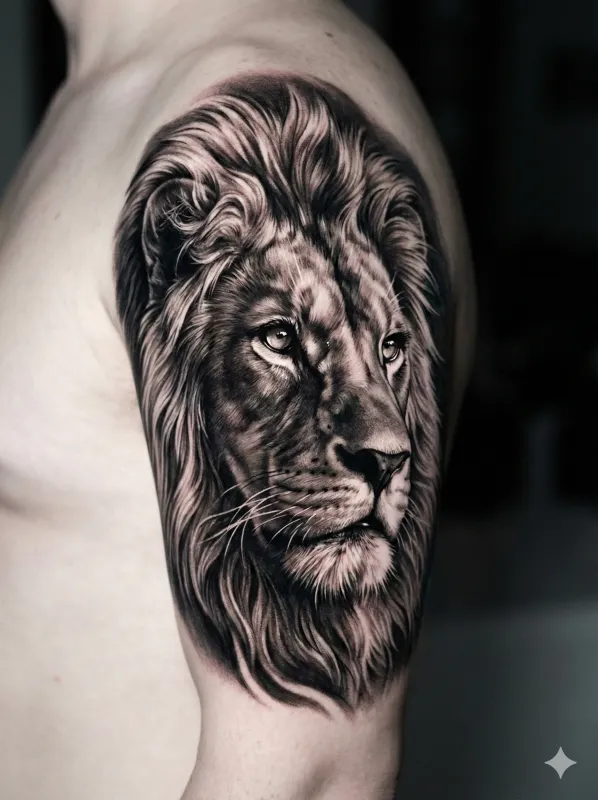
Majestic Lion
Animal Portrait · Wildlife · B&G
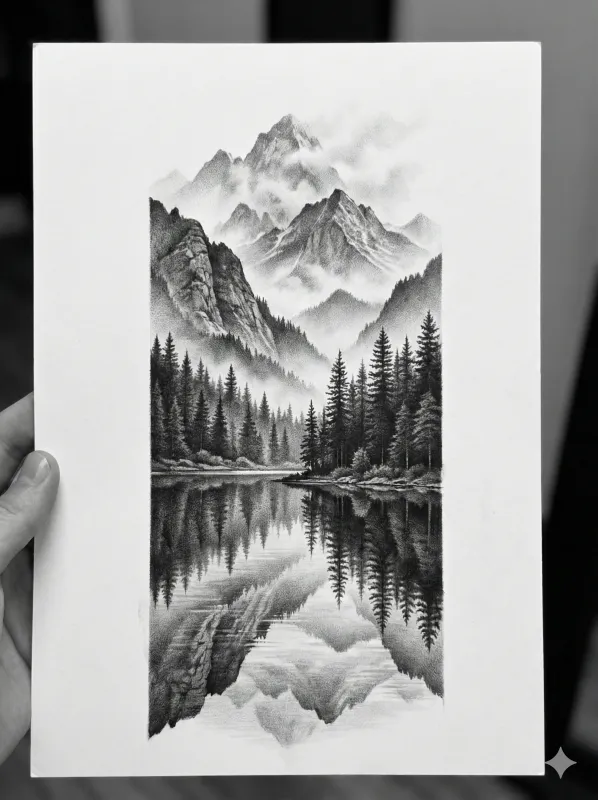
Mountain Landscape
Nature Scene · Landscape · Atmospheric
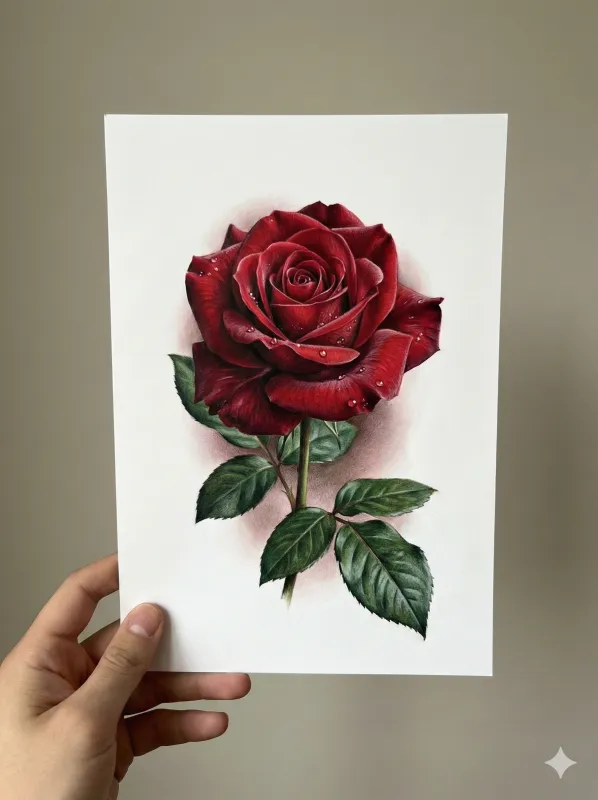
Red Rose
Color Realism · Floral · Vivid
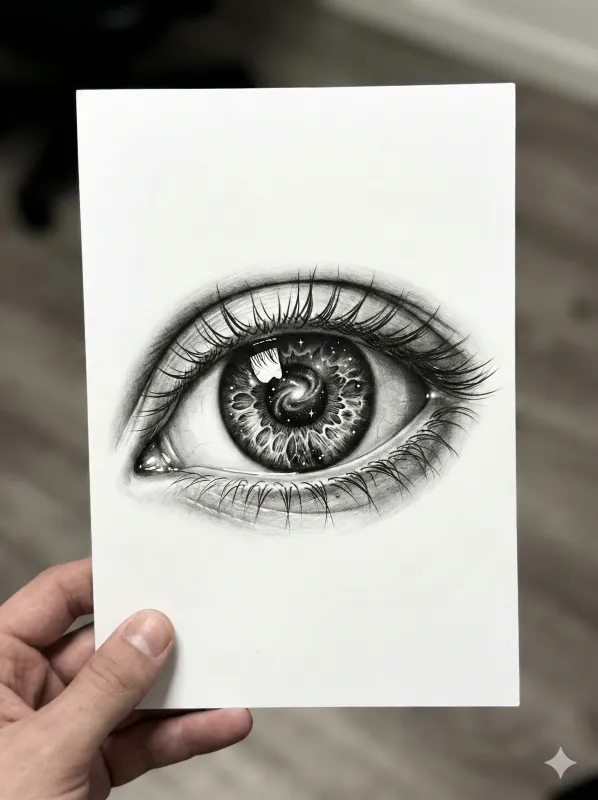
Galaxy Eye
Hyper-Realism · Surreal · Detailed
Realism Tattoo FAQ
How realistic can AI-generated tattoo designs be?
The generator produces detailed designs with natural shading, light and shadow, and textures. Results vary between generations, so treat each one as an AI-generated concept for a realism artist to refine, not a finished stencil.
Should I choose black & grey or color realism?
Black & grey creates dramatic, timeless designs with excellent contrast and tends to age well. Color realism offers vivid, lifelike results but may require touch-ups over time. Both look stunning — choose based on your preference and the subject.
What size works best for realism tattoos?
Realism tattoos generally need more space to capture detail. Medium to large placements work best — forearms, upper arms, thighs, and back pieces. Very small realism tattoos may lose detail as they age.
Can I use a reference image?
You can upload a reference image, such as a pet, a flower or an object, to guide composition and mood, then describe the style you want (black & grey, color, background elements). The AI creates a new tattoo concept inspired by it. It is not a reproduction of any person, and details may vary. Only upload images you have the right to use, and do not use the service to depict real people.
Generate Your Realistic Tattoo
Describe your subject and our AI creates a realistic tattoo concept with detailed shading.